Create surveys with AI: the fastest survey you'll ever build is a sentence
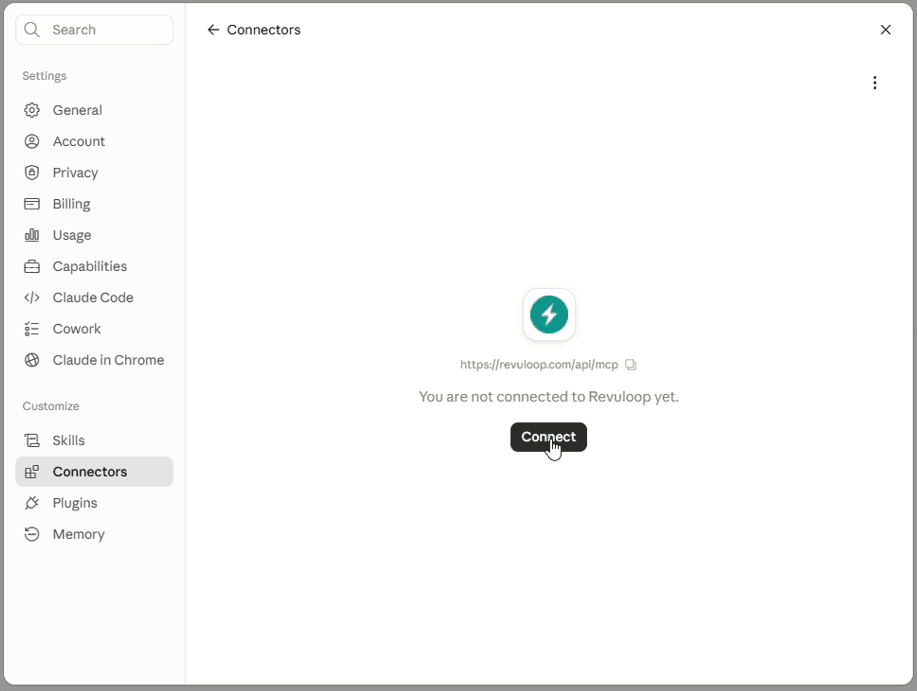
Revuloop now works inside your AI assistant. Claude, ChatGPT, Microsoft Copilot, or any AI tool that supports connectors: paste one link, sign in, and you can create surveys with AI, send them to your contacts, and analyze the results by simply asking. No new tab. No blank page. No spreadsheets.
Here's what that actually looks like.
How do you connect Revuloop to your AI assistant?
Once, in about thirty seconds.
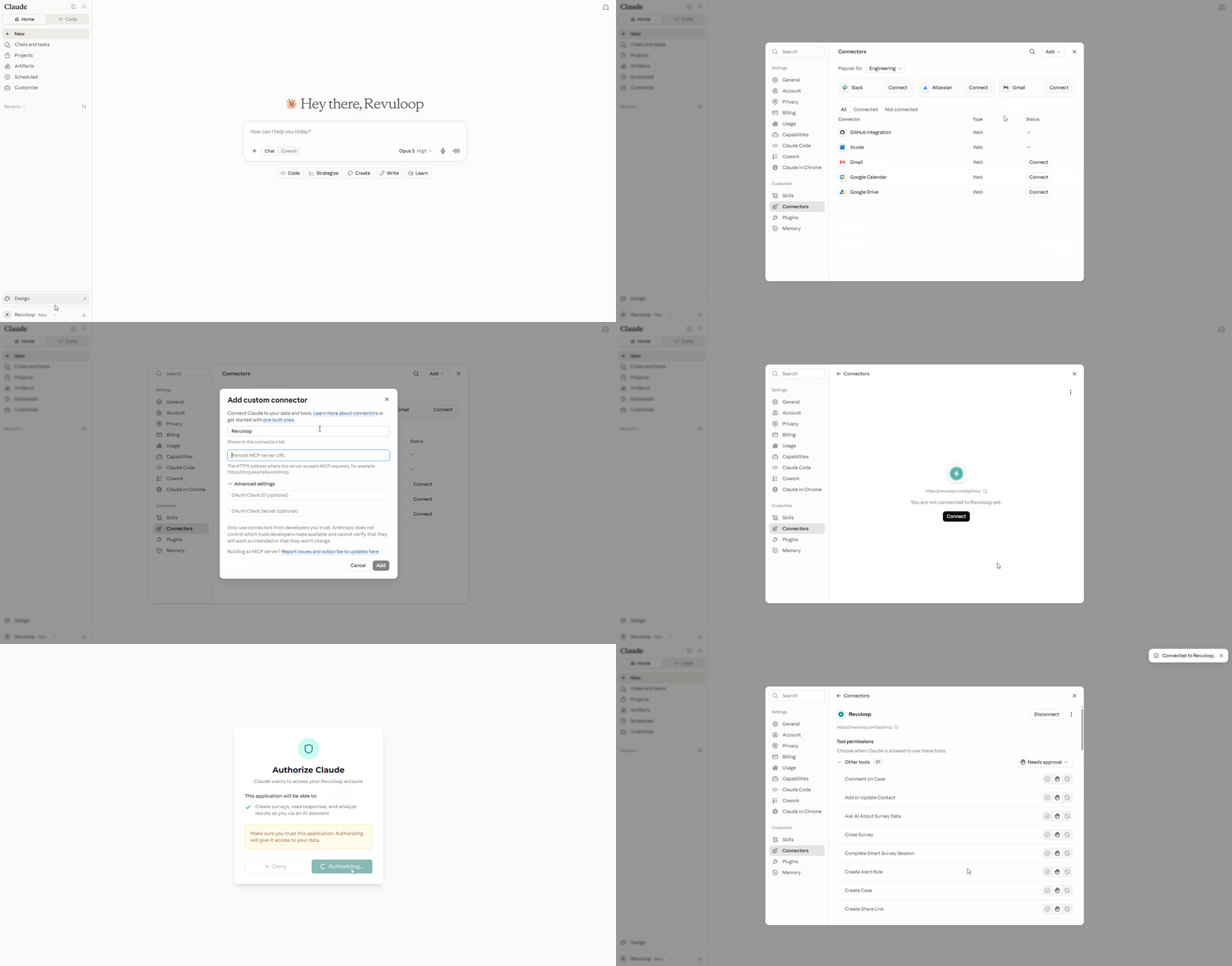
In your AI assistant, add Revuloop as a connector using this link:
https://revuloop.com/api/mcp
Sign in with your Revuloop account and you're done. No keys to copy, nothing to install, nothing to ask IT about. The assistant works with your own login, so it can only see and do what you can.
Now the fun part: the whole journey, from blank page to answers, in one conversation.
Step 1: Create a survey with AI, starting from a goal
You have a hunch and no time. Type:
"Create a survey to find out why trial users don't convert to paid."
Revuloop drafts the whole thing in under a minute: the right questions, in the right order, with the right answer options. It works the same for a team pulse, event feedback, customer research, or a course evaluation. You read the questions in the chat and tweak what you want. Nothing goes out until you say so.

Step 2: Launch now, or schedule your survey
Happy with the questions? You choose what happens next: launch it now, save it as a draft, or put it on the calendar. The team pulse that always costs you a Monday morning becomes:
"Schedule it to launch Monday at 9am and close Friday."
Done. Revuloop launches it on time, closes it on time, and the responses are waiting for you.

Step 3: Send your survey by email or share link
Your audience is already in Revuloop. Type:
"Email it to my Q3 Trial Users list."
Your assistant finds the list, tells you exactly who's getting it, and waits for your yes. Then it handles the send. Just want a link to post in Slack or on social? Ask for a share link instead. Same sentence, different channel.
Step 4: Analyze survey results by asking questions
Responses are in, and this is where the copy-paste into spreadsheets used to start. Not anymore. Type:
"What are people struggling with most?"
You get real numbers and real quotes pulled straight from the responses, ready to drop into your next team update. Ask a follow-up and it remembers the conversation, just like the rest of the chat.
Step 5: Act on the feedback
Teams that manage customer follow-ups in Revuloop can close the loop from the same conversation: the morning check-in becomes a single question,
"What needs my attention today?"
Your assistant gathers open follow-ups, fresh alerts, and accounts that need care, and hands you a short list in priority order before your coffee cools.
On every plan
The connector works on all plans, including Free, and grows with your subscription: Starter adds email sending, scheduling, and asking questions about your results; Pro adds text message and WhatsApp sending plus customer follow-up tools; Business adds account health. You only ever see what your plan includes, so there's no clutter.
Frequently asked questions
Which AI assistants work with Revuloop? Any assistant that supports connectors (the open MCP standard): Claude, ChatGPT, Microsoft Copilot, and more. There's also a local option for Claude Desktop, Cursor, and Windsurf.
Do I need an API key? No. Add the connector link and sign in with your normal Revuloop account. API keys are only for the optional local setup.
Is it included in the Free plan? Yes. The connector works on every plan, and what it can do grows with your subscription.
Can the AI send a survey without my approval? No. Launching a survey and sending it to people always require your explicit confirmation, and the assistant can only see and do what your own account can.
What is MCP? The Model Context Protocol, an open standard that lets AI assistants securely use tools like Revuloop. It's what makes "paste one link and sign in" possible.
Your turn
Open your AI assistant's connector or integration settings
Add https://revuloop.com/api/mcp
Sign in, then ask the thing you've been meaning to ask.
The best survey platform is the one that's there the moment the question occurs to you.